Mi Remote
Screenshots
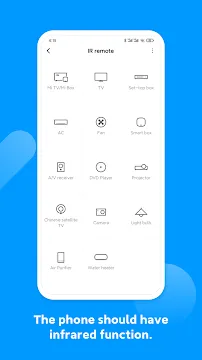
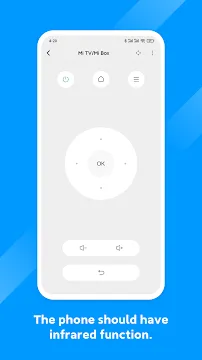
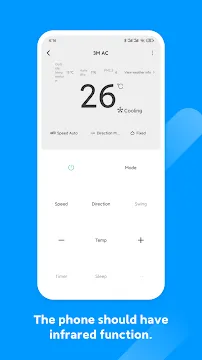
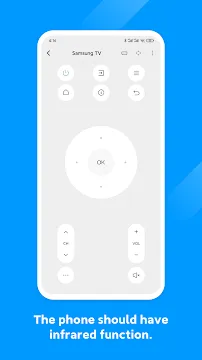
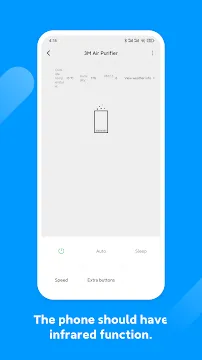
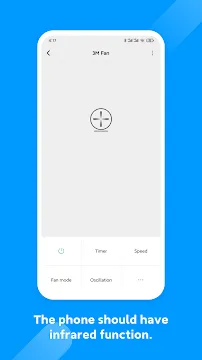
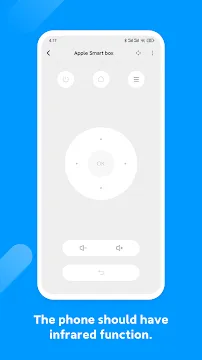
Mi Remote is a smart application that simplifies how you control your home electronics. Most people struggle with too many plastic remotes cluttering their living rooms. This app solves that problem by turning your mobile device into a universal controller. It uses the built-in infrared (IR) blaster found on many smartphones to send signals to your hardware. If your phone lacks an IR port, you can still use it to manage smart TVs and boxes over a Wi-Fi connection.
Why You Should Choose Mi Remote
Managing multiple devices usually requires a drawer full of batteries and controllers. This app streamlines your home experience by putting everything in one place. It supports a wide range of brands, not just Xiaomi products. You can control Samsung, Sony, LG, and many other popular electronics. The interface is clean and easy to navigate. You do not need technical skills to get started. The app guides you through the pairing process step by step. This makes it a reliable choice for anyone wanting a digital home.
How Mi Remote Enhances Your Home Control
The primary benefit of using this tool is the convenience of having your remote on a device you already carry. When you open the app, you see a list of electronic categories. You can select your TV, air conditioner, or set-top box. The app then asks you to test a few buttons to ensure the frequency matches your hardware. Once saved, you can name the remote for quick access later. This is perfect for households with multiple televisions or cooling units in different rooms.
Supported Devices and Compatibility
You might wonder if your specific hardware works with this software. The good news is that Mi Remote covers a massive database of manufacturers. It works with:
- Standard Televisions and Smart TVs.
- Air Conditioning units (AC).
- Set-top boxes and Satellite receivers.
- DVD and Blu-ray players.
- Projectors and A/V receivers.
- Digital cameras with IR sensors.
- Fans and smart heaters.
Most phones from Xiaomi, Redmi, and Poco come with the necessary hardware pre-installed. However, users with other brands can often download the app to control smart devices via Wi-Fi.
Using Mi Remote for Smart Entertainment
If you own a smart TV or a streaming box, this application offers even more functionality. It allows you to navigate menus using a touchpad on your screen. You can also use the keyboard on your phone to type search queries, which is much faster than using a traditional D-pad. Some versions even support voice commands. This makes finding your favorite shows or movies effortless. The connection remains stable as long as your phone and the smart device stay on the same network.
Simple Setup Tips for New Users
Getting started with Mi Remote is a quick process. First, ensure your phone is pointed directly at the device you want to control. IR signals require a clear line of sight to function correctly. When you add a new device, stay close to it until the pairing finishes. If the first remote layout does not work, try the next one in the list. Manufacturers often use different signal codes for different models. Labeling each remote clearly in the app, such as “Living Room TV” or “Bedroom AC,” prevents confusion later.
Troubleshooting Common Connection Issues
Sometimes technology acts up, but most issues with the app are easy to fix. If the remote stops responding, check if something is blocking the IR blaster on the top of your phone. Also, ensure your phone battery is not in a strict power-saving mode, as this can sometimes limit hardware performance. For Wi-Fi-based controls, a quick restart of your router often solves lag. Keep the app updated to the latest version to access new device codes and features.
Conclusion
In conclusion, Mi Remote is a practical and efficient tool for modern living. It removes the stress of losing physical remotes and helps you manage your home environment with ease. Whether you want to change the channel or adjust the room temperature, your phone becomes the only tool you need. The app is free, simple to use, and supports thousands of devices. Download it today to declutter your coffee table and enjoy a more organized home life.